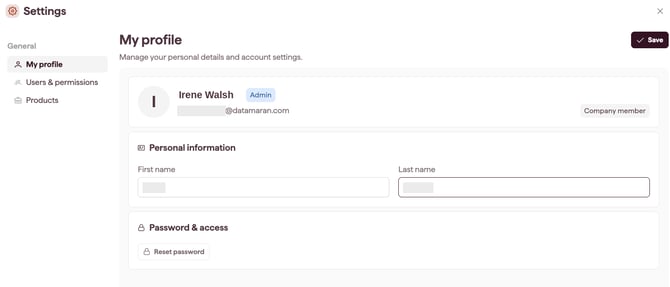
Settings is where you manage your profile and, if you are an Account Owner or Admin, your account's users, permissions, and products.
How to open Settings
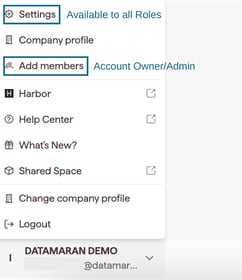
- Click the avatar (your account name) at the bottom of the sidebar.
- Select Settings.
Tip: the Add members shortcut in the same menu takes you straight to Users & Permissions.
What you see in Settings
Settings opens with three areas:
- My Profile is available to everyone. Edit your name and, for standard-login users, reset your password. See Edit your profile.
- Users & Permissions is available to Account Owners and Admins. Add, edit, and remove users across two tabs: Company member and Contributors.
- Products is available to Account Owners and Admins. View your products, licences, modules, and product periods. See View your products and licences.