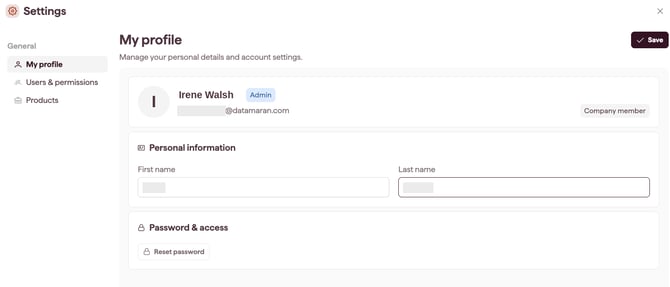
My Profile lets you update your own name and, if you sign in with a standard login, reset your password. Every user can access My Profile.
How to edit your profile
- Open Settings (see Open and navigate Settings).
- Select My Profile.
- Edit your first name and last name. Changes apply across the platform.
- Save your changes.
Resetting your password
- If you sign in with a standard login, select Reset password.
- If your organisation uses single sign-on (SSO), you will not see a Reset password button. Your password is managed by your identity provider, so reset it there.