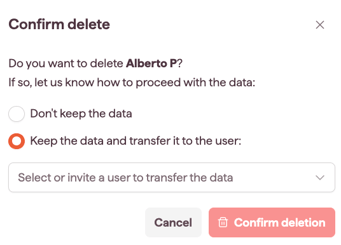
Remove a user to delete someone from your account. Account Owners and Admins can delete users.
How to remove a user
- Open Settings and select Users & Permissions (see Open and navigate Settings).
- Find the user's row and select it to open the action bar.
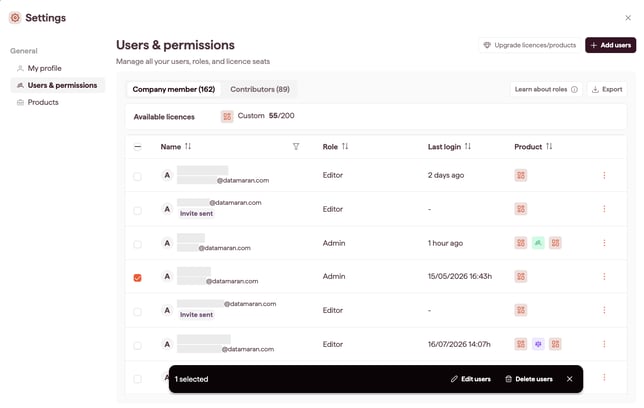
- Select Delete users.
- When prompted, reassign the user's analyses and content to an existing user.
Before you delete
- Deleting a user is permanent and immediate.
- Reassign the user's analyses and content when deleting so nothing is left without an owner.
- If you don't reassign the data, it will be permanently deleted after confirming.