
Expert-curated searches are predefined searches created by Datamaran experts to highlight key regulatory themes, initiatives, and emerging areas of change.
They are designed to provide three core benefits:
-
Precision and Accuracy: Eliminate the guesswork. Execute highly complex, legally precise searches without needing to know the exact keywords, citations, or regulatory jargon.
-
Time Savings: Access instant, high-quality search results without spending hours manually building and testing advanced boolean queries.
-
Expert Insight: Leverage Datamaran's regulatory experts' knowledge directly within the platform, ensuring you capture relevant legislative and policy developments.
Together, these benefits help you define what regulatory change should be monitored on an ongoing basis.
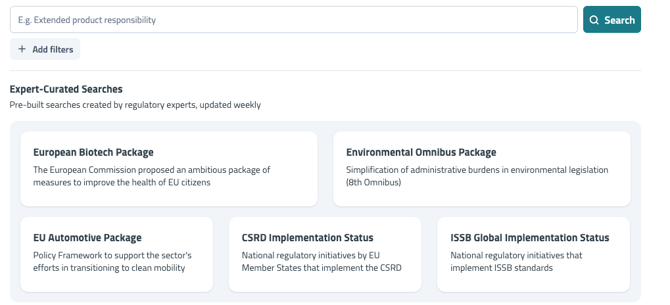
When to use expert-curated searches
Expert-curated searches are most useful when you:
-
Are onboarding to Regulations Research
-
Are reviewing or expanding your Monitoring Universe
-
Are exploring emerging or unfamiliar topics
They are particularly helpful early on, before creating custom searches or monitoring notifications.
From curated search to monitoring notification
Once you identify a curated search that reflects something you want to monitor on an ongoing basis:
-
Review the search results
-
Adjust scope if needed (topics, jurisdictions, filters)
-
Save the search and enable a monitoring notification
This turns a curated view into an active part of your Monitoring Universe.
🔗 For step-by-step guidance, see: Setting Up Search-Based Monitoring Notifications
Best practices
-
Review results before enabling monitoring notifications
-
Combine curated searches with your own business knowledge
-
Revisit curated searches periodically as regulatory priorities evolve