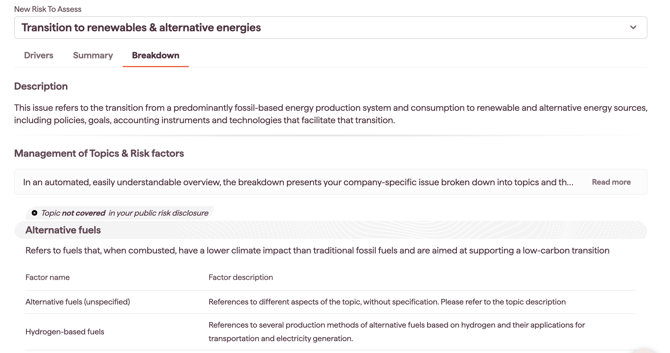
The Breakdown tab shows the Topics and Factors that make up a risk, and whether each Topic is covered in your latest 10-K, financial or integrated report.
To open it, select a risk on the Overview tab, then choose the Breakdown tab.
Why this matters
- see what a risk is made of, down to the factor level
- see which parts of a risk your reporting already covers and which it does not
- turn the gaps into action areas for strategy, risk management or reporting
Topics and Factors
- Topics: the sub-categories that form a risk, each marked Covered or Not covered based on the risk section of your latest 10-K or financial report. Example: "Chemical Waste" within "Waste & Hazardous Materials Management".
- Factors (also called sub-topics): the underlying elements of a Topic. Example: "Solid, Liquid or Gaseous Waste" within "Chemical Waste".
Factors are action areas to consider building into your strategy. Use the breakdown to set further actions, such as risk management or reporting practices.