Insight tags group the topics in your Targets benchmark so you can see at a glance where you lead, where you have gaps, and where your peers are focusing.
Each topic in the benchmark results is assigned one tag, based on two things: how many of your peers report at least one target for that topic (coverage), and whether your own company has set a target for it.
Why this matters
- Spot topics where most peers set targets but you have none
- See where you stand out from a peer group that is not yet acting
- Prioritise which topics to review first
- Filter a long benchmark down to one type of insight in a single click
The four tags
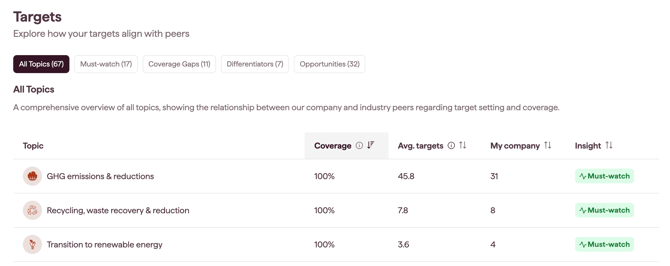
- Must-watch: coverage is high (at least 50% of peer companies) and your company has at least one target
- Coverage gaps: coverage is high (at least 50% of peer companies) and your company has not set any targets
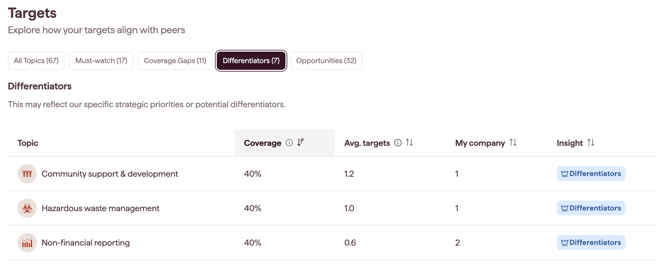
- Differentiators: coverage is low (less than 50% of peer companies) and your company has at least one target
- Opportunities: coverage is low (less than 50% of peer companies) and your company has not set any targets
Note: A topic counts as high coverage when at least 50% of peer companies report a target for it. Exactly 50% is treated as high coverage.
How to filter by tag
The tags at the top of the benchmark results list are clickable. Click a tag to filter the list to the topics carrying that tag, and click it again to clear the filter.