
To enhance collaboration and facilitate information sharing, the Stakeholder Analysis module enables clients to share their analysis with other users in their company.
In order to share analyses, please see the following steps:
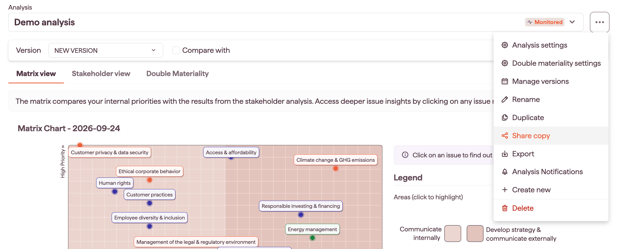
1. Open the analysis you would like to share in the Analysis module
2. Click on the Menu bar and select the option “Share Copy.”
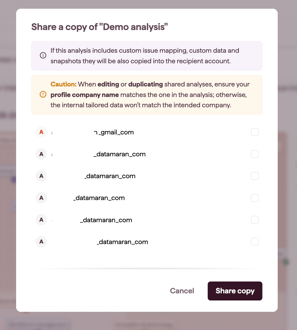
Note: In case you have shared the same analysis with a user more than once, the name of the analysis will appear with the same name but with a (n) at the end, indicating that they already have an analysis under that name.