
Regulation Search allows you to manage your notification preferences at any time, so you can control how often you receive updates and which notifications remain active.
Managing notification frequency helps balance timely awareness with email volume, especially as your monitoring setup evolves.
Accessing Your Notification Settings
To manage your notifications:
-
Open the main menu
-
Select Notifications
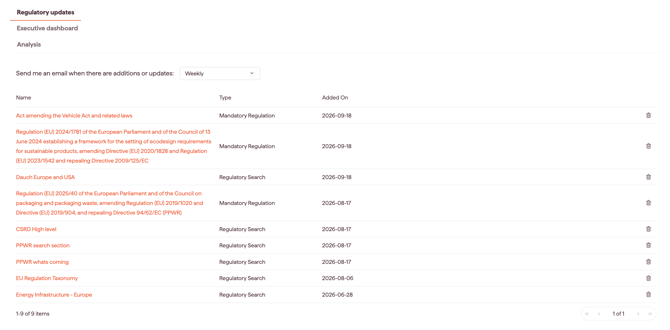
This view shows all of your active notifications, including:
-
Saved Views notifications
-
Individual regulation or initiative notifications
Changing Notification Frequency
You can adjust how often notification emails are delivered.
From the Notifications menu, you can change email delivery to a weekly or monthly schedule
Adjusting frequency does not change what is being monitored — only how often updates are sent.
Stopping or Deleting Notifications
From the Notifications menu, you can also:
-
Delete a saved view
-
Stop following an individual regulation or initiative
Once removed, you will no longer receive notification emails for that item or search.
Best Practices for Managing Notifications
-
Start with more frequent notifications during setup, then adjust as needed
-
Periodically review your notification list to remove items that are no longer relevant
Effective notification management helps ensure Regulations continues to deliver value without creating unnecessary noise.