
As a Double Materiality analysis owner, you can end the IRO review process manually at any time after assigning IROs. This closes the review period and prevents further scoring. It applies to the IROs being assessed: the IROs on bottom-up topics and any IROs routed to bottom-up.
How it works
- Ending the review is a bulk action. Use the list filters on the IRO List page to select the IROs.
- After selecting IROs, a bulk action bar appears at the bottom of the screen.
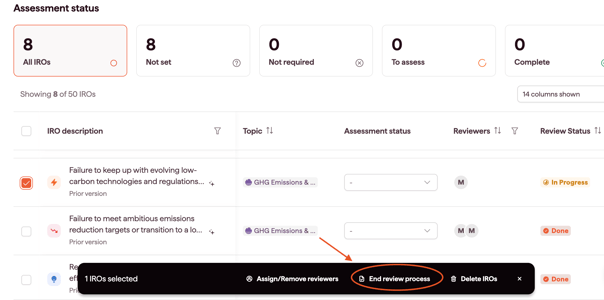
- The End Review option then becomes available.
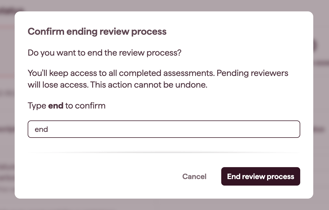
What happens when you end the review
- All reviewers receive an email that the assessment is closed
- Reviewers can no longer edit or add scores
- Submitted and in-progress score data becomes available in the aggregated scores drawer
When to use this feature
Use this to formally close the review period, so no more scores can be submitted and you have a finalised set of scores for aggregation.