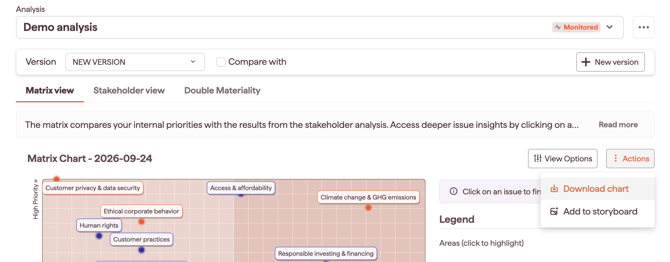
You can easily export your stakeholder analysis data and visuals for reporting, traceability, or further use. The platform allows you to download:
-
Analysis data: Detailed results, summary table, and issue mapping (Excel format)
-
Graphs: Stakeholder matrix (multiple formats available)
Downloading analysis data (Excel)
-
Go to the Stakeholder Analysis Module.
-
Select your analysis.
-
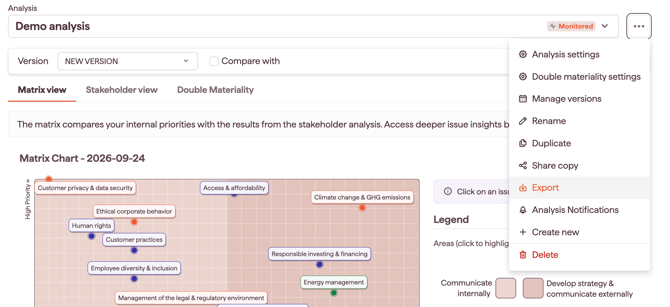
Open the menu by clicking the three-line icon next to the analysis name.
-
Click Export.
-
Confirm the export in the pop-up window.
Downloading the matrix graph
-
Go to the Stakeholder Analysis Module.
-
Select your analysis.
-
Open the Matrix View tab.
-
In the Actions section, click Download Chart.